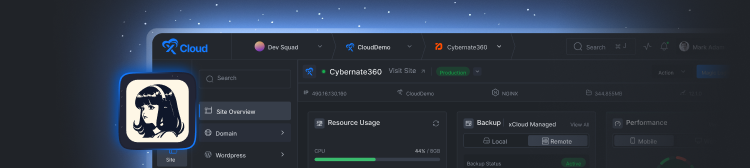

With xCloud White Label, you receive a built-in landing page to showcase your hosting plans and start selling immediately. You can easily customize reseller landing page with custom content and add your social media profiles.
Step 1: Enable or Disable the Landing Page #
By default, xCloud White Label provides a ready-made landing page. From the dashboard, go to âSettings.â Now, select âLanding Page.â This is where you will find all the available options to customize different aspects of your landing page.

Toggle it on to enable the landing page. However, if you prefer not to use this built-in feature, you have the option to keep it disabled. Disabling the page allows you to use your own custom landing page or website if you choose to do so.

Step 3: Add a Logo to the Navbar #
In the âLanding Page Settingsâ option, find the âNavbar Logoâ section. Click on the âUpload Logoâ button and upload your custom logo.

Note: Ensure that the logo is a minimum size of 212Ã40 pixels in PNG, JPEG, or JPG format (max 5MB) to fit well within the navbar
Step 4: Customize the Hero Section #
You can customize the Hero section to highlight your services or a key message about your reseller hosting plans. Locate the âHero Sectionâ in the âLanding Page Settingsâ. Under âHeadingâ, write a strong headline that clearly conveys what you offer. This could be your main value proposition or a catchy phrase to capture attention. Next, in the âSubheadingâ field, provide additional information or context about your services. This can be a short description that complements the main heading.

Step 5: Customize the CTA (Call to Action) Section #
To personalize the CTA section, locate the âHeadingâ field and input your text. Then, add your desired subheading content in the âSubheadingâ field. Then add a âbutton textâ and âbutton URâ where this âCTAâ will redirect the user.

Step 6: Add Your Social Media Profiles #
Add links to your social media profiles by filling in the âSocial Profile Linksâ for Facebook, Twitter, LinkedIn, YouTube, and Instagram. Once youâve set everything up, click the âSave and Previewâ button.

By following these steps, you can quickly and easily customize your resellerâs landing page using xCloud White Label. This personalized page will help you promote your hosting plans, strengthen your brand presence, and connect with your audience across social platforms.
Still stuck? Contact our support team for any of your queries.


