PowerApps and Flow
JUSSI ROINE
CTO @ ONSIGHT HELSINKI
SPONSORS
Jussi Roine
CTO, MVP, MCM, MCT
Onsight Helsinki
www.jussiroine.com
@JussiRoine
Session takeaways
Learn when to choose PowerApps and Flow
Quickly build effective LOB solutions
Migration guidance from InfoPath
Additional session takeway
Noniin Right, let’s get started, shall we
noNIIIIN I TOLD YOU, IT WORKS, SEE!
No. Niin. It should.. work? Give me a second..
NONNIH Help me god, work! You piece of #%%#@
(Basics of Finnish: Completed)
What is PowerApps?
And what is Flow?
Building & managing
PowerApps and Flow solutions
Best Practices
What is PowerApps?
What is PowerApps?
 Create apps with a Windows 10 App, share securely with Office 365 users
 Access via mobile devices, tablets, web browser and Windows apps
 Get & manipulate external data via Connections
A fully cloud-based platform for building, sharing and using business apps
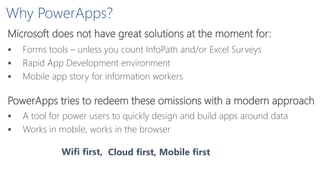
Why PowerApps?
 Forms tools – unless you count InfoPath and/or Excel Surveys
 Rapid App Development environment
 Mobile app story for information workers
Microsoft does not have great solutions at the moment for:
PowerApps tries to redeem these omissions with a modern approach
 A tool for power users to quickly design and build apps around data
 Works in mobile, works in the browser
Cloud first, Mobile firstWifi first,
What about InfoPath? Where’s that going?
 XML-based forms are from the past – no real benefits anymore
 Very limited connectivity & too ”SharePointy”
 Not really web/mobile focused and challenging to customize
InfoPath is on it’s way out and has too much technical debt
Is PowerApps an InfoPath replacement?
 PowerApps lacks features that InfoPath has – more on these in a moment
 PowerApps is not ”forms on web page” with clunky workflows
PowerApps is what InfoPath should have been in 2003-2013
What can I build with PowerApps?
PowerApps is flexible, but it also has specific strengths
 Generate apps based on data (Excel, SQL etc.)
 Form-based apps for capturing and updating data
 Line of Business apps with modern capabilities (microphone, camera, GPS
coordinates)
 Apps for specific needs, signups, events – for power users and role-based needs
PowerApps-based apps can contain:
Multiple data sources Multiple screens Ink & pen support Custom APIs
Current limitations with PowerApps
Supported platforms for using PowerApps
 PowerApps is still in Preview – not supported for production use
 Documentation is somewhat limited and scarce, more like a reference
 You will need custom development, if default connectors are not enough
 Limited SharePoint support – does not replace forms/list views
PowerApps Demo
What is Microsoft Flow?
Microsoft Flow
A new workflow & activity engine for power users in the cloud
 Design workflows with a simple
design interface
 Run workflows continuously or
as triggered activities
 Connect with PowerApps via
control activity
Building Flows
Design flows at https://flow.microsoft.com using the web UI
 Graphical designer shares the same UX with Azure Logic Apps designer
 Dozens of triggers and actions, more being added monthly
 Data does not have to reside in Office 365 at all
 Data sources include Box, Dropbox, Salesforce, Wunderlist etc.
Things to consider before going to production
 Recurrence of a Flow can be automatic (~30 sec) or sec/min/hour/day
interval
 Can connect with custom APIs that are registered through Office 365
 Credentials to external services are stored within the Flow (and shared with
PowerApps)
Flow Gallery
Reuse pre-defined recipes from Flow Gallery
Submit custom flows to Flow Gallery
 Must not contain custom APIs
Flow Demo
SharePoint-based workflow vs. Microsoft Flow
Feature Windows Azure Workflow Microsoft Flow
Supports SharePoint 2013/2016 Built-in
Requires integration work
(webhooks in the future)
Supports SharePoint Online Built-in Built-in
Form technology approach InfoPath
PowerApps
InfoPath
Supports complex workflows Via Visual Studio
Via Custom APIs & Azure
Functions
Logs & troubleshooting Simple view with errors (if any)
Exceptions & graphical view,
history view, input/output views
Future-proof
Supported for 10 more years,
default (and only) choice for now
Flow support coming to SPO,
evolves rapidly during Preview
Pricing No license required Not announced
Building & managing
PowerApps and Flow
solutions
Building PowerApps solutions
Design apps based on data, or design apps based on UI
 Data must be accessible, so sharing can
use Dropbox, OneDrive for Business etc.
 ”Shadow IT” solutions – unexpected
usage and growth
Converting InfoPath forms to PowerApps
No tool available for InfoPath to PowerApps conversion
 No public information if a tool will even be released by Microsoft
Challenges in moving to PowerApps-based forms from InfoPath:
Repeater control
Table-based positioning
Offline support
Windows Phone support
On-Premises support
Complexityforworkaround
Nice-to-have Must-haveNot needed
SharePoint support
Form View support
Anonymous use
Converting SharePoint Workflows to Flows
No tool available for WAW/SharePoint Designer-based workflow conversion
 Problem: SharePoint Designer 2013-based workflows are often
complex and include multiple steps and path logic
 Flows only support simple conditions (If/Else, but not Default/Finally)
 Flows do not support looping (for now, at least)
 No Visual Studio-support for building Flows
Recommendation: Build only simple Flows, with Flow strengths
Integrations &
external data
High volume Always running
Managing PowerApps & Flows
User access to apps is based on Office 365 accounts
 Forms are in-house and per organization
 No anonymous use – all apps are for internal use only
 AAD B2B support is not confirmed
 Share with individuals, or share with the whole organization
Create and enforce a governance model!
User builds a fantastic
PowerApps/Flow solution
User leaves the company
Re-provision/claiming solutions during
disabling/deprovisioning of AD account
Challenge SolutionUser action
Users love PowerApps &
Flow
Unmanaged, undocumented
LOB tools, Shadow IT approach
Provide guidance, take ownership of
solutions, monitor solutions
Extending beyond PowerApps & Flow basic features
Custom APIs extend PowerApps &
Flow OOB functionality
Azure Functions provide effortless
building blocks
Logic Apps provide true
integration logic
Serverless computing
Trigger via HTTP call, polling or
webhooks
Can run C# scripts and .BAT files
Ad-hoc modifications, real-time
logging
Azure API Apps as a platform
Swagger-based metadata finding
Can do *anything* 
Best suited for integrating
external datasources
API Management Portal
Enterprise integration features
Full integration capabilities
Not dependent on single user
Fully Azure-based
Hybrid integration solution
Best Practices, lessons
learned, don’t do
what I did
Lessons learned
PowerApps is in preview – plan ahead & keep plans loose
 Things are changing – prepare for ad hoc change of plans
 Case: Put all APIs in Microsoft Azure and manage them separately
 Microsoft retired the Azure-based PowerApps management functionality
 ”Does PowerApps support X?” – be careful not to overpromise
 The roadmap is not locked down, so things are moving and shifting
Don’t assume things & remember your lessons from InfoPath
 InfoPath was released in 2003 and then I felt the same as now – AMAZING!
 Workarounds easily turn into hacks and kludges
 ”Umm, AD lookup is not there so let me just code it quickly..”
Best practices
PowerApps is flexible, but it also has specific strengths
 It revolves around data – so best start with a data model & mindset
 APIs are the key to accessing data and external systems
 Provide centralized access to API’s via Azure API Management Portal
 Use other Office 365 workloads to your benefit
 Planner, Power BI, OneDrive for Business, Groups etc.
 Avoid trying to rebuild InfoPath forms to look the same in PowerApps
Where to learn more?
 PowerApps reference
 https://powerapps.microsoft.com/en-us/tutorials/formula-
reference/
 Custom APIs and PowerApps
 https://blogs.msdn.microsoft.com/carlosag/2016/05/09/using-
azure-functions-in-powerapps/
 Using Azure Functions in PowerApps
 https://powerapps.microsoft.com/en-us/blog/using-azure-
functions-in-powerapps/
Onsight
Groups
Responsetime/Criticality
Visibility
Planner
Delve Analytics
Delve
Individual Organization
Non-realtime/LowReal-time/High
Skype for Business
(call/video)
Skype for Business
(IM)
Email
OneDrive for
Business
Skype for Business
(online meeting)
Yammer
Skype Broadcast
SharePoint Office 365 Video
Project Online
PowerApps
Flow
thank you
questions?
live ratings
WWW.JUSSIROINE.COMJUSSIROINE
spca.biz/TCRJ