Event-Based Asynchronous Pattern(EAP)
• Event-Based Asynchronous Pattern (EAP)
– 스레드 기반 동기 방식 (기존 서버 동작 방식 )
• 스레드마다 요청에 대한 결과응답을 완료하고 다음 요청 처리하는 방식.
• 예) ETRI 식당 한식 코너 배식 : 2개 스레드(동편제/서편제) 기반 동기방식
• 배식 방법 : 식권제출, 국 -> 밥 -> 반찬1 -> 반찬2 -> 반찬3 –> 식사
(동기방식)
• 국이 다 떨어졌다. 국이 준비될 때까지 배식 진행 대기 상태 (blocking)
– 이벤트 기반 비동기 방식
• 요청을 받아서 처리하고, 결과응답을 이벤트로 알려주는 방식.
• 예) 뷔페의 즉석요리 코너 : 스테이크 코너, 스파게티 코너, 냉면 코너 등등
• 원하는 즉석 요리 신청 후, 번호표를 받고, 다른 즉석 요리 신청 가능.
(non blocking)
• 즉석 요리 신청 중, 다른 음식코너를 계속 이용할 수 있다. (비동기 방식)
• 요리가 완성되어, 번호 호출(event)이 되면, 음식을 가져온다.
4 Node.js & Vert.x
5.
• 멀티 스레드구조와 싱글 스레드 구조
5
<Tomcat의 Multi Thread 구조>
Node.js & Vert.x
<Vert.x의 Single Thread 구조>
Event-Based Asynchronous Pattern (EAP)
6.
• 싱글 스레드이벤트기반 비동기 처리 Event Loop
6
< Event Loop의 개념>
Node.js & Vert.x
Event-Based Asynchronous Pattern (EAP)
7.
• 싱글 스레드비동기 네트워크 서버 프레임웍
7 Node.js & Vert.x
Event-Based Asynchronous Pattern (EAP)
Node.js
• Node.js (http://www.nodejs.org/ )
• 2009년 라이언 달(Ryan Dahl) 개발
• 구글 크롬 브라우져 V8 자바스크립트 엔진 기반
– 2008년 9월 구글 크롬 웹 브라우져 베터버젼 발표
– 크롬 브라우져 V8자바스크립트 엔진 탑재
– C++로 개발, 자바스크립트 코드 기반 머신코드 생성/실행
• V8 자바스크립트 엔진 매력 : 소스 공개 (오픈소스)
– 라이언 달은 표준과 V8자바스크립트 엔진 기반
Node.js개발
9 Node.js & Vert.x
Node.js 장단점
• Node.js의장점
– Single Thread 기반의 비동기IO를 통한 고성능 처리 (이벤트 방식)
– 자바스크립트의 생산성 향상 (백엔드 개발의 진입 장벽을 깸)
– Socket.io 모듈 제공 (웹 push 기술 제공)
• Node.js의 단점
– Single Thread기반으로 Heavy한 작업인 경우, 성능 급하락
– 이벤트 방식의 CALLBACK HELL (Code Readability 하락)
– Single Thread기반으로 멀티 코어 머신 최적화 어려움.
11 Node.js & Vert.x
Node.js 개발 환경
•Node.js 웹서버 실행
– node.server.js 저장
14 Node.js & Vert.x
// 모듈을 추출합니다.
var http = require('http');
// 웹 서버를 생성 및 실행합니다.
http.createServer(function (request, response) {
response.writeHead(200, { 'Content-Type': 'text/html' });
response.end('<h1>Hello World .. !</h1>');
}).listen(52273, function () {
console.log('Server running at http://127.0.0.1:52273/');
});
Node.js 개발 환경
•Node Package Manager ( )
– npm is the official package manager for Node.js.
npm –v
npm –h
npm install –h
npm install (-g) <모듈명>
npm remove <모듈명>(@<버전>)
npm list <모듈명>
npm ls (--depth=0)
16 Node.js & Vert.x
17.
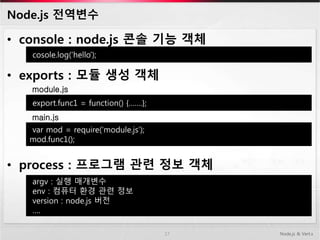
Node.js 전역변수
• console: node.js 콘솔 기능 객체
• exports : 모듈 생성 객체
• process : 프로그램 관련 정보 객체
17 Node.js & Vert.x
cosole.log(‘hello’);
export.func1 = function() {…….};
module.js
var mod = require(‘module.js’);
mod.func1();
main.js
argv : 실행 매개변수
env : 컴퓨터 환경 관련 정보
version : node.js 버전
….
18.
Node.js 기본 내장모듈
• os : Operating-System 관련 모듈
• url : URL 표현 및 파싱 모듈
• querystring : Query String 생성 및 파싱 모듈
• util : node.js 보조 기능 모듈
• crypto : 해시 생성과 암호화 수행 모듈
• fs : File System I/O 관련 모듈
18 Node.js & Vert.x
19.
Node.js 이벤트 처리
•on(eventName, eventHandler)
– 이벤트 연결
• setMaxListeners(limit)
– 이벤트 연결 개수 제한.(limit=0:무제한)
• removeListener(eventName, handler)
– 특정 이벤트 리스너 제거
• removeAllListener([eventName])
– 모든 이벤트 리스너 제거
• Emit(event, [arg1], [arg2], [...])
– 이벤트 강제 발생
19 Node.js & Vert.x
20.
Node.js 외부 모듈사용
• 외부모듈 (지역모듈. require()함수 사용)
– ejs모듈 : npm install ejs
• 템플릿 엔진 모듈
• jsp와 유사한 방식
– jade모듈 : npm install jade
• 템플릿 엔진 모듈
• 들여쓰기를 통한 html코드 렌더링
• 외부모듈 (전역모듈) - npm install –g 옵션사용
– 서버실행모듈 : node명령어 대신 사용 ( > node server.js )
• supervisor : js변경시 자동 로드 ( > supervisor server.js )
• forever : 서비스 오류시 자동 재시작 ( > forever server.js )
• express : express 프레임워크 제공
20 Node.js & Vert.x
html
head
title Hello
body
…….
<h1><%=name%></h1>
21.
Node.js 를 사용한웹 개발
• http모듈
– server 객체
– response 객체
– request 객체
21 Node.js & Vert.x
require(‘http’).createServer( function(request, response) {
var url = request.url; // 요청 URL
var method = request.method; // method 속성
}).listen(8080);
var http = require(‘http’);
var server = http.createServer();
server.listen(8080);
require(‘http’).createServer( function(request, response) {
response.writeHead(200, { ‘Content-Type’ : ‘text/html’ });
response.end(‘<h1>Hello~</h1>’);
}).listen(8080);
22.
Node.js 를 사용한웹 개발
• express모듈
– Http모듈 + 추가 기능 제공 모듈
22 Node.js & Vert.x
// 모듈을 추출합니다.
var fs = require('fs');
var http = require('http');
var express = require('express');
// 서버를 생성합니다.
var app = express();
// 미들웨어를 설정합니다.
app.use(express.bodyParser());
app.use(app.router);
// 라우터를 설정합니다.
app.get('/user', function (request, response) { … });
app.get('/user/:id', function (request, response) { … });
app.post('/user', function (request, response) { … });
app.put('/user/:id', function (request, response) { … });
app.del('/user/:id', function (request, response) { … });
// 서버를 실행합니다.
http.createServer(app).listen(52273, function () {
console.log('Server running at http://127.0.0.1:52273');
});
23.
Node.js 를 사용한웹 개발
• MySQL 모듈
– MySQL사용할 수 있게 해 주는 모듈
23 Node.js & Vert.x
…..
var mysql = require('mysql');
….
// 데이터베이스와 연결합니다.
var client = mysql.createConnection({
host: ’localhost’ , port: 3306,
user: 'root',
password: '비밀번호',
database: 'Company'
});
……
app.get('/', function (request, response) {
// 파일을 읽습니다.
fs.readFile('list.html', 'utf8', function (error, data) {
// 데이터베이스 쿼리를 실행합니다.
client.query('SELECT * FROM products', function (error, results) {
// 응답합니다.
response.send(ejs.render(data, {
data: results
}));
});
});
});
24.
Node.js 를 사용한웹 개발
• express 프레임워크
– express모듈로 만든 프레임워크
– 설치방법 : npm install –g express
– 프로젝트 생성 : $ express HelloExpress
• 현재 디렉토리 밑에 HelloExpress 프로젝트 생성
• cd HelloExpress && npm install
– 도움말 : express --help
24 Node.js & Vert.x
25.
Node.js 를 사용한웹 개발
• socket.io 모듈
– 웹 소켓 서버 기능 제공 모듈
25 Node.js & Vert.x
var http = require('http');
var fs = require('fs');
var socketio = require('socket.io');
// 웹 서버를 만듭니다.
var server = http.createServer(function (request, response) {
// HTMLPage.html 파일을 읽습니다.
fs.readFile('HTMLPage.4.html', function (error, data) {
response.writeHead(200, { 'Content-Type': 'text/html' });
response.end(data);
});
}).listen(52273, function () {
console.log('Server Running at http://127.0.0.1:52273');
});
// 소켓 서버를 만듭니다.
var io = socketio.listen(server);
io.sockets.on('connection', function (socket) {
// message 이벤트
socket.on('message', function (data) {
// 클라이언트의 message 이벤트를 발생시킵니다.
io.sockets.emit('message', data);
});
});
26.
Node.js 를 사용한시연
• 시연
– 간단한 http 서버 샘플
– socket.io를 통한 샘플
26 Node.js & Vert.x
Editor's Notes
#6 Tomcat : request queue의 request를 thread pool에서 관리되는 Thread에게 할당, 처리함. Request에 대한 response를 보내고 작업이 완료됨.
스레드 구조는 처리하는 스레드에 많아짐에 Thread의 Context switching 오버헤드 발생. 멀티 스레드의 공유자원 접근시 locking등의 처리 필요.
#7 Event loop를 통한 요청 처리. 요청에 대한 결과는 이벤트 형태로 수신함.
이벤트 발생 비율이 많거나, 이벤트 처리 로직의 소요시간이 길면, 성능이 떨어짐.
#10 CommonJS : ServerJS 이름으로 시작. 웹브라우져 밖에서 자바스크립트를 사용하기 위한 표준.
#11 이베이 (온라인 경매와 쇼핑 웹사이트) : 웹 API를 node.js사용
Linked in (비즈니스 인맥 사이트) : 모든 서버 node.js로 구성
Yammer (기업용 소셜 네트워크 서비스) : 기존 루비로 개발된 프록시 서버를 node.js로 교체
윈도우 애져 (마이크로소프트 클라우드 플랫폼) : 2011년 12월 부터 node.js SDK 배포
NHN (국내최대 포탈 naver.com) : node.js 어플리케이션 구축



![Node.js 이벤트 처리
• on(eventName, eventHandler)
– 이벤트 연결
• setMaxListeners(limit)
– 이벤트 연결 개수 제한.(limit=0:무제한)
• removeListener(eventName, handler)
– 특정 이벤트 리스너 제거
• removeAllListener([eventName])
– 모든 이벤트 리스너 제거
• Emit(event, [arg1], [arg2], [...])
– 이벤트 강제 발생
19 Node.js & Vert.x](/proxy?url=https%3A%2F%2Fimage.slidesharecdn.com%2Fnodejs-140723005442-phpapp02%2F85%2FNode-js-19-320.jpg)


![XECon2015 :: [2-2] 박상현 - React로 개발하는 SPA 실무 이야기](/proxy?url=https%3A%2F%2Fcdn.slidesharecdn.com%2Fss_thumbnails%2Freact1-160404022032-thumbnail.jpg%3Fwidth%3D640%26height%3D640%26fit%3Dbounds)


![[16.01.05] node.js & mqtt](/proxy?url=https%3A%2F%2Fcdn.slidesharecdn.com%2Fss_thumbnails%2F20151231nodejsmqtt-160105122520-thumbnail.jpg%3Fwidth%3D640%26height%3D640%26fit%3Dbounds)

![[120316] node.js 프로그래밍 5장](/proxy?url=https%3A%2F%2Fcdn.slidesharecdn.com%2Fss_thumbnails%2F120316nodejsch5-120319081659-phpapp01-thumbnail.jpg%3Fwidth%3D640%26height%3D640%26fit%3Dbounds)

![[Hello world]nodejs helloworld chaesuwon](/proxy?url=https%3A%2F%2Fcdn.slidesharecdn.com%2Fss_thumbnails%2Fhelloworldnodejshelloworldchaesuwon-120831010259-phpapp02-thumbnail.jpg%3Fwidth%3D640%26height%3D640%26fit%3Dbounds)
![[Hello world]git internal](/proxy?url=https%3A%2F%2Fcdn.slidesharecdn.com%2Fss_thumbnails%2Fhelloworldgit-internal-120831010436-phpapp02-thumbnail.jpg%3Fwidth%3D640%26height%3D640%26fit%3Dbounds)
![[Hello world]n forge](/proxy?url=https%3A%2F%2Fcdn.slidesharecdn.com%2Fss_thumbnails%2Fhelloworldnforge-120831022354-phpapp02-thumbnail.jpg%3Fwidth%3D640%26height%3D640%26fit%3Dbounds)
![[Hello world]play framework소개](/proxy?url=https%3A%2F%2Fcdn.slidesharecdn.com%2Fss_thumbnails%2Fhelloworldplayframework-120831011102-phpapp01-thumbnail.jpg%3Fwidth%3D640%26height%3D640%26fit%3Dbounds)


![Node js[stg]onimusha 20140725](/proxy?url=https%3A%2F%2Fcdn.slidesharecdn.com%2Fss_thumbnails%2Fnodejsstgonimusha20140725-140725013632-phpapp01-thumbnail.jpg%3Fwidth%3D640%26height%3D640%26fit%3Dbounds)


![[IoT] MAKE with Open H/W + Node.JS - 3rd](/proxy?url=https%3A%2F%2Fcdn.slidesharecdn.com%2Fss_thumbnails%2Fiotoshwnodejslesson3-150329102149-conversion-gate01-thumbnail.jpg%3Fwidth%3D640%26height%3D640%26fit%3Dbounds)

![[D2 오픈세미나]3.자바스크립트mean스택 김태훈](/proxy?url=https%3A%2F%2Fcdn.slidesharecdn.com%2Fss_thumbnails%2Fd23-140525205955-phpapp01-thumbnail.jpg%3Fwidth%3D640%26height%3D640%26fit%3Dbounds)
![Node js[stg]onimusha 20140822](/proxy?url=https%3A%2F%2Fcdn.slidesharecdn.com%2Fss_thumbnails%2Fnodejsstgonimusha20140822-140822032532-phpapp02-thumbnail.jpg%3Fwidth%3D640%26height%3D640%26fit%3Dbounds)


![[Korea Linux Forum] Implementing web based online multiplayer tetris with Ope...](/proxy?url=https%3A%2F%2Fcdn.slidesharecdn.com%2Fss_thumbnails%2Fimplementingwebbasedonlinemultiplayertetris-141111200036-conversion-gate02-thumbnail.jpg%3Fwidth%3D640%26height%3D640%26fit%3Dbounds)


