Exceptions 
sohamsengupta@yahoo.com1
Definition 
• An exception is an abnormal condition that arises 
while running a program. Exception handling in 
Java is same as in C++. 
• This is how Java handles Exceptions. When an 
exception occurs in a method, an object of 
Exception type is thrown. The method can either 
handle the exception or pass it on to the calling 
method. 
• Example of exceptions are : Attempt to divide by 
zero causes an exception to be thrown at run time, 
Attempt to call a method on an object that has is 
null. 
sohamsengupta@yahoo.com2
Keywords 
• Exceptions are typically generated by Java run 
time system. They could also be thrown manually 
by writing a code that throws exception. 
• Exception handling block: 
try{ 
… 
} 
catch(ExceptionType1 e){ …} 
catch(ExceptionType2 e){ …} 
. 
. 
. 
finally { 
... 
} 
sohamsengupta@yahoo.com3
Exception Types 
Throwable 
Exception Error 
Exception: This class is used for exceptional 
conditions that a user program should catch. Also 
when we generate Exceptions manually in the 
code we extend this class. Example divide by zero 
etc. 
Error: These are the exception that does not occur 
under the normal circumstances and hence are not 
excepted to be caught by the code. JRE handles 
these kind of exceptions. 
sohamsengupta@yahoo.com4
Exceptions 
• We will be looking only at Exception class. 
Some Subclasses of Exception: 
1. IOException 
2. ClassNotFoundException 
3. RuntimeException 
a. ArithmeticException 
b. NullPointerException 
c. ArrayIndexOutOfBoundsException 
d. ClassCastException 
sohamsengupta@yahoo.com5
Without Exceptions 
• Let us write a code that does not handle exception. 
class DivideByZero 
{ 
public static void main(String str[]) 
{ 
int z= 45/0; 
} 
} 
No compilation errors. 
Run time error generated by the system: 
Exception in thread "main" 
java.lang.ArithmeticException: / by zero 
at DivideByZero.main(DivideByZero.java:5) 
Default Exceptional handler handles the exception. 
This can sometimes run into pages. 
sohamsengupta@yahoo.com6
Why to handle exceptions 
• To give a user friendly message to the user. 
• To save all the work or to close open files or 
sockets etc. 
• To allow program to terminate gracefully. 
class DivideByZero{ 
public static void mainā€(String str[]) { 
int z=90; 
try{ 
z= 45/0; 
} catch(ArithemeticException e) 
{ System.out.println(ā€œDivision by zeroā€); 
z=0; // resetting to a valid value 
} 
System.out.println(ā€œAfter catching exceptionā€); 
} 
output: Division by zero 
After catching exception 
sohamsengupta@yahoo.com7
Multiple catches 
• There could be more than one exception that is 
raised in a piece of code. In this case we use 
multiple catch. We however have to be careful to 
catch Exceptions of subclass types first and then 
super class types. 
sohamsengupta@yahoo.com8
sohamsengupta@yahoo.com9 
class Catches { 
public static void main(String[] args) { 
try{ 
int i=10/Integer.parseInt(args[0]); 
} 
catch(ArithmeticException e){ 
System.out.println("div by zero"); 
} 
catch(ArrayIndexOutOfBoundsException e1){ 
System.out.println(ā€œout of bound"); 
} 
} 
} c:> java Catches 0 > output : div by zero 
c:> java Catches > output: out of bound
Multiple catch must ensure that super Exception comes later 
sohamsengupta@yahoo.com10 
class DivideByZero { 
public static void main(String[] args) { 
try{ 
int i=10/0; 
} 
catch(Exception e){ 
System.out.println(ā€œgeneral error"); 
} 
catch(ArithmeticException e1){ 
System.out.println(ā€œdiv by zero ");} 
} 
} 
• exception java.lang.ArithmeticException has already been caught 
catch(ArithmeticException e1){ 
^ 
1 error
Multiple try 
• A try statement can be nested inside another try 
statement. If an exception is raised in the inner try 
block and it does not have a catch handler for that 
exception then this exception is caught by the 
catch statement of the outer try block ( if there is a 
matching handler) 
sohamsengupta@yahoo.com11
throws 
• A method that does not want to handle exception 
can delegate this to the calling method. 
class DivideByZero { 
public static void method() throws ArithmeticException { 
int i=10/0; 
} 
public static void main(String[] args) { 
try{ 
sohamsengupta@yahoo.com12 
method(); 
}catch(Exception e){ 
System.out.println(ā€œsome exception ");} 
} 
}
throw & rethrow 
• Generate an Exception condition manually in the 
code 
class DivideByZero { 
public static void method() { 
try{ 
throw new NullPointerException(ā€œexceptionā€); 
}catch(NullPointerException e1){ 
System.out.println(ā€œnull pointer exception in method"); 
throw e1; 
} 
} 
} 
sohamsengupta@yahoo.com13
public static void main(String[] args) { 
try{ 
method(); 
} 
catch(NullPointerException e1){ 
System.out.println(ā€œnull pointer exception in main");} 
} 
} 
sohamsengupta@yahoo.com14
finally 
• When exceptions occur the program’s normal flow 
is disrupted. It is no longer in sequence. The 
methods that work with the system resources like 
files and sockets remain open if the program ends 
prematurely during exceptions. 
• finally is a block of statements that will definitely 
get executed whether or not an exception occurs. 
So the methods that deal with resources could 
release them in the finally block. 
sohamsengupta@yahoo.com15
sohamsengupta@yahoo.com16 
class Catches { 
public static void main(String[] args) { 
try{ 
int i=10/Integer.parseInt(args[0]); 
System.out.println(ā€œNormal executionā€); 
} 
catch(ArithmeticException e){ 
System.out.println("div by zero"); 
} 
catch(ArrayIndexOutOfBoundsException e1){ 
System.out.println(ā€œout of bound"); 
} 
finally { System.out.println(ā€œThank youā€); } 
} 
}
Output 
c:> java Catches 0 
> output : div by zero 
Thank you 
c:> java Catches 
> output: out of bound 
Thank you 
java Catches 1 
> output: Normal execution 
Thank you 
sohamsengupta@yahoo.com17
Code snippet 
class B { 
static int getVal(){ 
int x=12; 
int[] y=new int[5]; 
try{ 
return y[x]; 
}catch(ArithmeticException ae){ 
return -120; 
}finally{ 
return 940; 
} 
} 
public static void main(String[] ar) { 
System.out.println(getVal()); 
sohamsengupta@yahoo.com18 
}} 
Output: 940 
class B { 
static int getVal(){ 
int x=12; 
int[] y=new int[5]; 
try{ 
return y[x]; 
}catch(ArithmeticException ae){ 
return -120; 
} 
} 
public static void main(String[] ar) { 
System.out.println(getVal()); 
}} 
Exception in thread "main" 
java.lang.ArrayIndexOutOfBoundsE 
xception: 12 
at B.getVal(B.java:6) 
at B.main(B.java:12)
Another Code Snippet 
class B { 
static int getVal(){ 
int x=12; 
int[] y=new int[5]; 
try{ 
return y[x]; 
}catch(Exception ae){ 
return -120; 
} 
} 
public static void main(String[] ar) { 
System.out.println(getVal()); 
sohamsengupta@yahoo.com19 
}} 
Output: -120 
Exception catches subException 
ArrayIndexOutOfBoundsException 
and the catch Block Returns the -120 
Guess what if we omit the catch block and 
introduce the final block 
class B { 
static int getVal(){ 
int x=12; 
int[] y=new int[5]; 
try{ 
return y[x]; 
}finally{ 
return -570; 
} 
} 
public static void main(String[] ar) { 
System.out.println(getVal()); 
}}• 
Output -570 
• In the next slide we’ll omit the 
return statement from finally 
bloack. 
• See the magical perversion
Examples… contd. 
class B { 
static int getVal(){ 
int x=12; 
int[] y=new int[5]; 
try{ 
System.out.println("Inside try"); 
return y[x]; 
}finally{ 
System.out.println("From finally 
sohamsengupta@yahoo.com20 
without catch"); 
} 
} 
public static void main(String[] ar) { 
System.out.println(getVal()); 
}} Inside try 
From finally without catch 
Exception in thread "main" 
java.lang.ArrayIndexOutOfBoundsException: 12 
at B.getVal(B.java:7) 
at B.main(B.java:13) 
Checked Exception 
public static void main(String[] 
ar) { 
throw new Exception("My 
Exception"); 
} // Will be error Exception is 
checked and superclass of all. 
Replace with java.io.IOException, 
the same result will u get. 
But… 
public static void main(String[] ar) { 
throw new ArithmeticException("My 
Exception"); 
} // is OK it is subclass of Unchecked 
Exception 
java.lang.RuntimeException
A few facts about Exception handling 
• A try block must have at least one catch block or one 
finally block. 
• A catch block can detect only the declared exception type 
or any subclass exception of that type 
• If we use multiple catch block, super class Exception must 
come after sub class ones 
• If we use finally, finally is executed in all the cases. Even 
return in suitable catch can’t stop it. 
• To make a program terminate ā€œgracefullyā€ , we use 
multiple catch block in proper order followed by a 
catch(Throwable t) block at last 
• In case of overriding, the subclass overrider method can’t 
declare to throw broader Checked Exceptions. 
sohamsengupta@yahoo.com21
More on Exception handling 
• To debug a program we must call the 
Exception.printStackTrace() method. It’s not a static 
method so u must have use an instance of Exception or its 
sub class to call this method. This works in stack (LIFO) 
telling u how the Exception originated and in what line 
number of the code. Remember, this prints the stack trace 
on the console. So, be careful to call this method and make 
sure that u can see the console. This is generally performed 
inside the catch block because it’s only there that u get an 
instance of the raised exception. 
• From the experts' desk: Always try to incorporate proper 
exception handling in your application to make your end 
user feel comfortable and the developer get going in 
debugging a logical bug! 
sohamsengupta@yahoo.com22
User-defined exceptions 
• A user defined exception class can be created if 
one finds that there is no in-built exceptions that 
matches the exceptions that will be thrown by the 
code. 
• This class is created by extending the Exception 
class. 
sohamsengupta@yahoo.com23
class AgeClass { 
private int age ; 
private String description; 
public AgeClass(int age, String desc){ 
setAge(age); 
setDescription(desc); 
} 
public void setAge(int age){ 
if (age==0 || age>150) 
throw new AgeException(ā€œAge = ā€œ+ age + ā€œ is invalidā€); 
else 
this.age=age; 
} 
public void setDescription(String desc){ 
// some code to describe age 
} 
sohamsengupta@yahoo.com24
class AgeException extends Exception { 
String exStr; 
public AgeException() 
{ 
exStr= ā€œAge not in the permitted rangeā€; 
} 
public AgeException(String s) 
{ 
exStr=s; 
} 
public String toString() 
{ 
return Exception: ā€ + exStr; 
} 
} 
sohamsengupta@yahoo.com25
Exercises 
• For the Student class that we created in last 
exercise, throw an exception if the marks 
entered is out of range (0-100). 
sohamsengupta@yahoo.com26
Wrapper Classes 
sohamsengupta@yahoo.com27
Wrapper Classes • A class that is created over a primitive data 
types or other classes giving it more 
functionality. 
• java.lang.Integer 
• java.lang.Boolean 
• java.lang.Float 
• java.lang.Double 
• java.lang.Short 
• java.lang.Long 
• java.lang.Byte 
sohamsengupta@yahoo.com28
Integer 
• We will look at just one wrapper class. Other 
classes are just similar. (Use Java 
Documentation for reference). 
• Constructor Summary 
• Integer(int value) 
Constructs a newly allocated Integer 
object that represents the specified int value. 
• Integer(String s) 
Constructs a newly allocated Integer 
object that represents the int value indicated by 
the String parameter. 
sohamsengupta@yahoo.com29
Important methods 
• static int parseInt(String s) 
Parses the string argument as a signed 
decimal integer. 
• int intValue() 
Returns the value of this Integer as an int. 
• static String toString(int i) 
Returns a String object representing the 
specified integer. 
• static Integer valueOf(String s) 
Returns an Integer object holding the value 
of the specified String. 
sohamsengupta@yahoo.com30
Example 
• Get the year from the command line argument 
and check if it is a leap year. 
class LeapYear 
{ 
public static void main(String args[]){ 
if (args.length>1) || (args[0].length()<>4){ 
System.out.println(ā€œImpoprer argumentā€); 
else { 
int year=Integer.parseInt(args[0]); 
if (leapYear(year) 
System.out.println(ā€œLeap Yearā€); 
else 
System.out.println(ā€œNot a leap yearā€); 
} 
boolean leapYear(int year) {…} 
} 
sohamsengupta@yahoo.com31
Utility Classes 
sohamsengupta@yahoo.com32
java.util 
• Java utility classes are packaged in java.util 
package. 
• Most of the utility classes are collections 
(group of objects). 
• Collection interface is the root in the 
hierarchy. 
• Other than this interface we will be looking at 
following important utility classes/interfaces: 
sohamsengupta@yahoo.com33
ArrayList 
* In java, arrays are of a fixed length. 
* ArrayList class is used to support dynamic 
arrays. 
* It is a type of collection class. 
* Constructors: 
• ArrayList(): builds an empty array list. 
• ArrayList(int capacity): builds an array list 
of size capacity. 
sohamsengupta@yahoo.com34
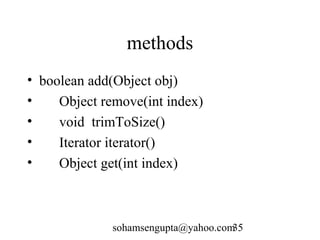
methods 
• boolean add(Object obj) 
• Object remove(int index) 
• void trimToSize() 
• Iterator iterator() 
• Object get(int index) 
sohamsengupta@yahoo.com35
Example 
ArrayList a1= new ArrayList(); 
a1.add("A"); 
a1.add("B"); 
a1.add("C"); 
System.out.println(a1); 
a1.remove(2); 
sohamsengupta@yahoo.com36
Iterator interface 
• This interface helps us to iterate through any 
collection classes. 
a. With iterator we can to remove elements from the 
underlying collection. 
b. Method names have been improved. 
boolean hasNext() 
Returns true if the iteration has more elements. 
sohamsengupta@yahoo.com37 
Object next() 
Returns the next element in the iteration. 
void remove() 
Removes from the underlying collection the 
last element returned by the iterator (optional 
operation).
• An iterator() method is provided in almost all the 
collection classes that returns Iterator object. 
ArrayList a1= new ArrayList(); 
a1.add("A"); 
a1.add("B"); 
a1.add("C"); 
Iterator iterator=a1.iterator(); 
while(iterator.hasNext()) 
{ 
String str=(String)iterator.next(); 
System.out.println(str); 
} 
sohamsengupta@yahoo.com38
java.util.Date • Date is an older class added in Java 1.0 SDK. 
• Most of its methods are deprecated. 
Constructors: 
Date(): Current date and time. 
sohamsengupta@yahoo.com39
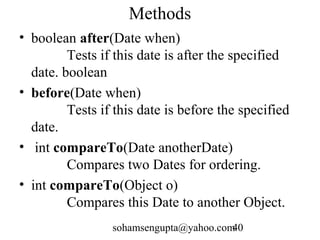
Methods 
• boolean after(Date when) 
Tests if this date is after the specified 
date. boolean 
• before(Date when) 
Tests if this date is before the specified 
date. 
• int compareTo(Date anotherDate) 
Compares two Dates for ordering. 
• int compareTo(Object o) 
Compares this Date to another Object. 
sohamsengupta@yahoo.com40
java.util.Calendar 
• * This class provides a set of methods that helps us to 
work with dates. 
• * It is an abstract class. 
• * But there is a static method, getInstance(), in the 
Calendar class (that is implemented) which returns a 
Calendar object. 
• * This method assumes the default locale and time 
zone. 
• * Calendar cal=Calendar.getInstance(); 
• * This initializes object with current date and time. 
sohamsengupta@yahoo.com41
methods 
• 1. final int get( int calendarField) : example: int 
month=cal.get(Calendar.MONTH) 
• 2. final void set(int year, int month, int day, [ int 
hours, int minutes, int secs ]) 
• 3. final void clear() 
• 4. final void set(int which, int value) 
• 5. some integer constants which can be used with 
get method: MONTH, YEAR, DATE, HOUR, 
MINUTE, SECOND 
sohamsengupta@yahoo.com42
import java.util.*; Example 
class CalendarExample { 
static final String 
month[]={ā€œJanā€,ā€Febā€,ā€Marā€,ā€Aprā€,ā€Mayā€,ā€Junā€,ā€Jlyā€,ā€Augā€,ā€S 
epā€,ā€Octā€,ā€Novā€,ā€Decā€}; 
public static void main(String str[]) { 
printPayBillDateHeader(); 
} 
public static printPayBillHeader() 
{ 
Calendar c=Calendar.getInstance(); 
String m=month[c.get(Calendar.MONTH)]; 
System.out.print(ā€œPaybill for the months of ā€œ + m); 
System.out.println(ā€œ ā€œ+ c.get(Calendar.DATE)); 
sohamsengupta@yahoo.com43 
} 
}
Exercises 
I. An office maintains a record of documents it 
receives. Following details about the 
douments are maintained: 
a. Document date 
b. Name of the person who sent the document 
c. Name of the person to whom this document 
was addessed. 
d. Department of the person who sent tis 
sohamsengupta@yahoo.com44 
document 
e. summary
• Create a console based java application to 
1. Add document details 
2. Remove document details 
3. Modify document details 
4. Display chronologically all the documents 
received so far. 
sohamsengupta@yahoo.com45
II. An electric contains many electrical 
appliances. Appliances are classified into 
appliance types and they are kept in a 
particular location. When an appliance is 
added it is given a new unique id number 
starting from 1 upto 1000. An appliance is 
tested after every n no. of days depending 
on appliance types. 
sohamsengupta@yahoo.com46
• Now there are two types of users in the 
application: 
• 1. Managers - login :mgr, password:mgrpw 
• 2. Testers - login:tester1, password:tester1pw 
• login:tester2, password:tester2pw 
• A test data consist of 
• appliance id, date of test, result (pass/fail), 
comments. 
sohamsengupta@yahoo.com47
• Managers can add/delete/modify appliance 
types and locations. 
• Testers and managers can 
add/delete/modify appliances. 
• Testers can add test but cannot delete test. 
• A tester who has added a test can only 
update the test. 
sohamsengupta@yahoo.com48
• Write a console java program to 
• 1. Add/Delete/Modify appliance type. 
• 2. Add/Delete/Modify location. 
• 3. Add/Delete/Modify appliances. 
• 4. Displays a report with all tests taken so 
far. 
• 5. Displays outstanding tests. 
sohamsengupta@yahoo.com49