libGDX: 
User 
Input 
Jussi 
Pohjolainen 
Tampere 
University 
of 
Applied 
Sciences
TOUCH 
+ 
KEYBOARD
Event 
vs 
Polling 
• Polling 
– Do 
something 
on 
each 
frame, 
really 
fast 
– Was 
mouse 
clicked? 
Was 
mouse 
clicked? 
Was 
mouse 
clicked? 
– Good 
for 
arcade 
games 
• Event 
– Do 
something 
when 
event 
handles 
– NoIfy 
when 
mouse 
was 
clicked 
– UI 
elements 
such 
as 
buJons 
• Mouse 
/ 
touch 
/ 
keyboard 
can 
be 
received 
either 
polling 
or 
event 
handling
public class MyInputProcessor implements InputProcessor { 
@Override 
public boolean keyDown (int keycode) { 
return false; 
} 
@Override 
public boolean keyUp (int keycode) { 
return false; 
} 
@Override 
public boolean keyTyped (char character) { 
return false; 
} 
@Override 
public boolean touchDown (int x, int y, int pointer, int button) { 
return false; 
} 
@Override 
public boolean touchUp (int x, int y, int pointer, int button) { 
return false; 
} 
@Override 
public boolean touchDragged (int x, int y, int pointer) { 
return false; 
} 
@Override 
public boolean mouseMoved (int x, int y) { 
return false; 
} 
@Override 
public boolean scrolled (int amount) { 
return false; 
} 
} 
MyInputProcessor inputProcessor = new MyInputProcessor(); 
Gdx.input.setInputProcessor(inputProcessor);
Polling 
Touch 
/ 
Keyboard 
• For 
most 
arcade 
games, 
polling 
is 
good 
• MulItouch 
is 
supported! 
– boolean firstFingerTouching = Gdx.input.isTouched(0); 
– boolean secondFingerTouching = Gdx.input.isTouched(1); 
– int firstX = Gdx.input.getX(); 
– int firstY = Gdx.input.getY(); 
– int secondX = Gdx.input.getX(1); 
– int secondY = Gdx.input.getY(1); 
• Keyboard 
– boolean isAPressed = Gdx.input.isKeyPressed(Keys.A);
ACCELEROMETER
Accelerometer 
• An 
accelerometer 
measures 
the 
acceleraIon 
of 
a 
device 
on 
three 
axes 
• From 
this 
acceleraIon 
one 
can 
derive 
the 
Ilt 
or 
orientaIon 
of 
the 
device. 
– Phones: 
portrait 
default 
– Tablet: 
landscape 
default 
• LibGDX 
shows 
accelerometer 
readings 
always 
as 
in 
the 
image
Accelerometer 
y 
(0,0) 
Accelerometer 
x 
y 
increments 
x 
increments
Accelerometer 
Readings 
• Accelerometer 
readings 
can 
be 
accessed 
– float accelX = Gdx.input.getAccelerometerX(); 
– float accelY = Gdx.input.getAccelerometerY(); 
– float accelZ = Gdx.input.getAccelerometerZ(); 
• When 
moving 
and 
if 
in 
landscape 
mode 
in 
android, 
noIce 
X 
vs 
Y! 
– speedX += Gdx.input.getAccelerometerY();
GESTURES
GestureDetector 
• TouchDown 
• LongPress 
• Tap 
• Pan 
– Useful 
for 
camera 
panning 
in 
2D 
• PanStop 
• Fling 
• Zoom 
– Camera 
zooming 
• Pinch 
– Camera 
zooming 
+ 
rotaIon
StarIng 
to 
Listen 
to 
Gestures 
• Really 
easy 
– Gdx.input.setInputProcessor(new 
GestureDetector(new MyGestureListener())); 
• MyGestureListener 
is 
some 
class 
that 
implements 
GestureListener
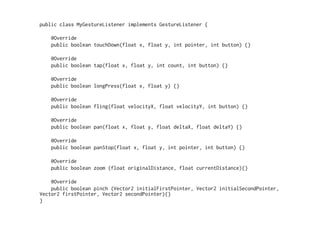
public class MyGestureListener implements GestureListener { 
@Override 
public boolean touchDown(float x, float y, int pointer, int button) {} 
@Override 
public boolean tap(float x, float y, int count, int button) {} 
@Override 
public boolean longPress(float x, float y) {} 
@Override 
public boolean fling(float velocityX, float velocityY, int button) {} 
@Override 
public boolean pan(float x, float y, float deltaX, float deltaY) {} 
@Override 
public boolean panStop(float x, float y, int pointer, int button) {} 
@Override 
public boolean zoom (float originalDistance, float currentDistance){} 
@Override 
public boolean pinch (Vector2 initialFirstPointer, Vector2 initialSecondPointer, 
Vector2 firstPointer, Vector2 secondPointer){} 
}
SIMPLE 
TEXT 
INPUT
User 
input 
• Desktop 
– Swing 
dialog 
• Android 
– Android 
dialog 
• Use 
TextInputListener 
– MyTextInputListener listener = new MyTextInputListener(); 
– Gdx.input.getTextInput(listener, "Dialog Title", "Initial 
Textfield Value")
public class MyTextInputListener implements TextInputListener { 
@Override 
public void input (String text) { 
} 
@Override 
public void canceled () { 
} 
}
MISC
• Vibra 
– Gdx.input.vibrate(2000); 
– Remember 
to 
add 
permissions 
• Compass 
– float azimuth = Gdx.input.getAzimuth(); 
– float pitch = Gdx.input.getPitch(); 
– float roll = Gdx.input.getRoll();