



Pattern Analyzer is a comprehensive, plugin-based framework for binary data analysis in Python. It provides a powerful engine to apply statistical tests, cryptographic analysis, and structural format detection on any binary data source.
- Extensible Plugin Architecture: Easily add new statistical tests, data transformers, or visualizers.
- Rich Plugin Library: Comes with a wide range of built-in plugins for:
- Statistical Analysis: NIST-like tests (Monobit, Runs, FFT), Dieharder-inspired tests, and advanced metrics like Hurst Exponent and Entropy.
- Cryptographic Analysis: Detects ECB mode encryption, repeating-key XOR patterns, and searches for known constants like AES S-boxes.
- Structural Analysis: Basic parsers for formats like ZIP, PNG, and PDF.
- Machine Learning: Anomaly detection using Autoencoders, LSTMs, and pre-trained classifiers.
- Multiple Interfaces: Use Pattern Analyzer the way you want:
- Command-Line Interface (CLI) for scripting and automation.
- Web User Interface (Streamlit) for interactive analysis and visualization.
- Text-based User Interface (TUI) for terminal-based interaction.
- REST API (FastAPI) to integrate Pattern Analyzer into other services.
- High-Performance Engine: Supports parallel test execution, streaming analysis for large files, and sandboxed plugin execution for security and stability.
It is recommended to install Pattern Analyzer in a virtual environment.
# Clone the repository
git clone https://github.com/edgetype/pattern-analyzer.git
cd pattern-analyzer

# Create and activate a virtual environment
python -m venv .venv
# On Windows: .venv\Scripts\activate
# On macOS/Linux: source .venv/bin/activate

# Install the package in editable mode with all optional dependencies
pip install -e .[test,ml,ui]
The optional dependencies are:
test: for running the test suite withpytest.ml: for machine learning-based plugins (TensorFlow, scikit-learn).ui: for the Streamlit web UI and Textual TUI.
Standard Analysis
Analyze a binary file using a default set of tests and save the report.
patternanalyzer analyze test.bin --out report.jsonUse a specific configuration profile for a focused analysis (e.g., cryptographic tests).
patternanalyzer analyze encrypted.bin --profile crypto --out crypto_report.jsonGenerate an HTML report from the analysis results.
patternanalyzer analyze test.bin --profile crypto --out crypto_report.json --html-report crypto_report.html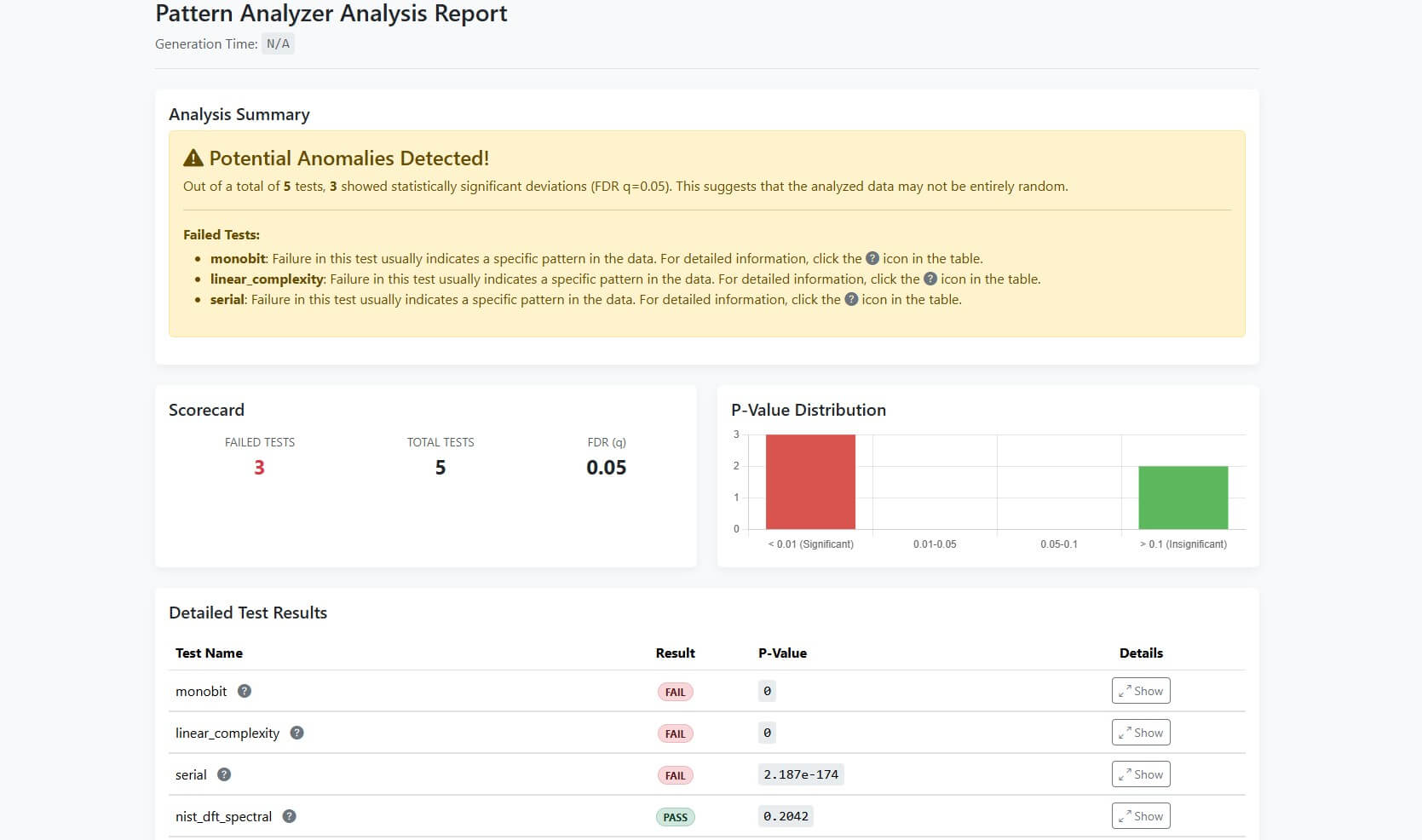
Discovery Mode
If you don't know what kind of transformation might have been applied to your data, use --discover mode. It automatically tries to find common patterns like single-byte XOR keys and reports the most likely candidates.
patternanalyzer analyze secret.bin --discover --out discover_report.jsonThe output file discover_report.json will contain a list of potential transformations and a preview of the resulting data.
Web UI (Streamlit) Launch an interactive web interface to upload files and visualize results.
patternanalyzer serve-ui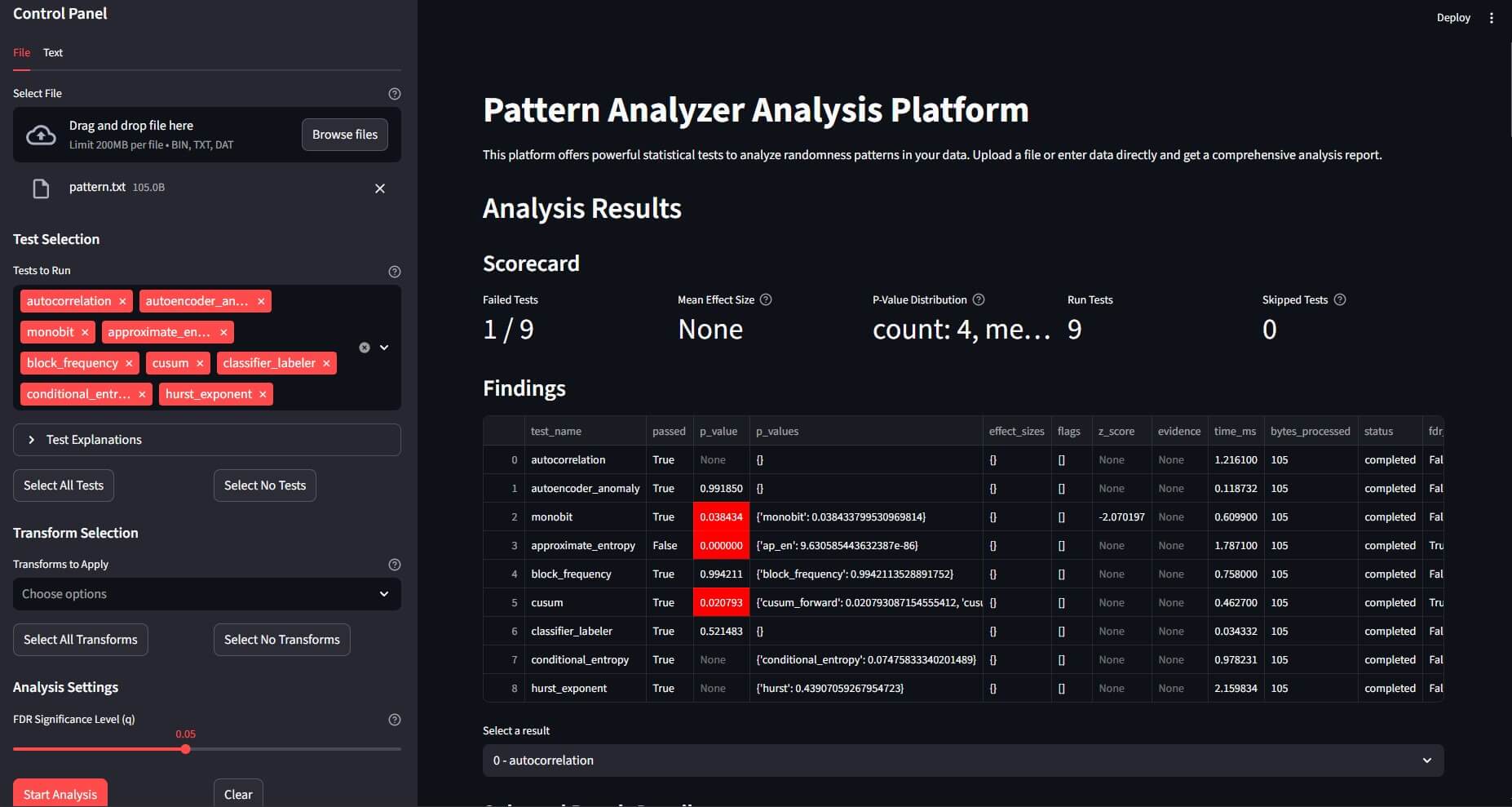
Start a terminal-based interface for analysis directly in your console.
patternanalyzer tui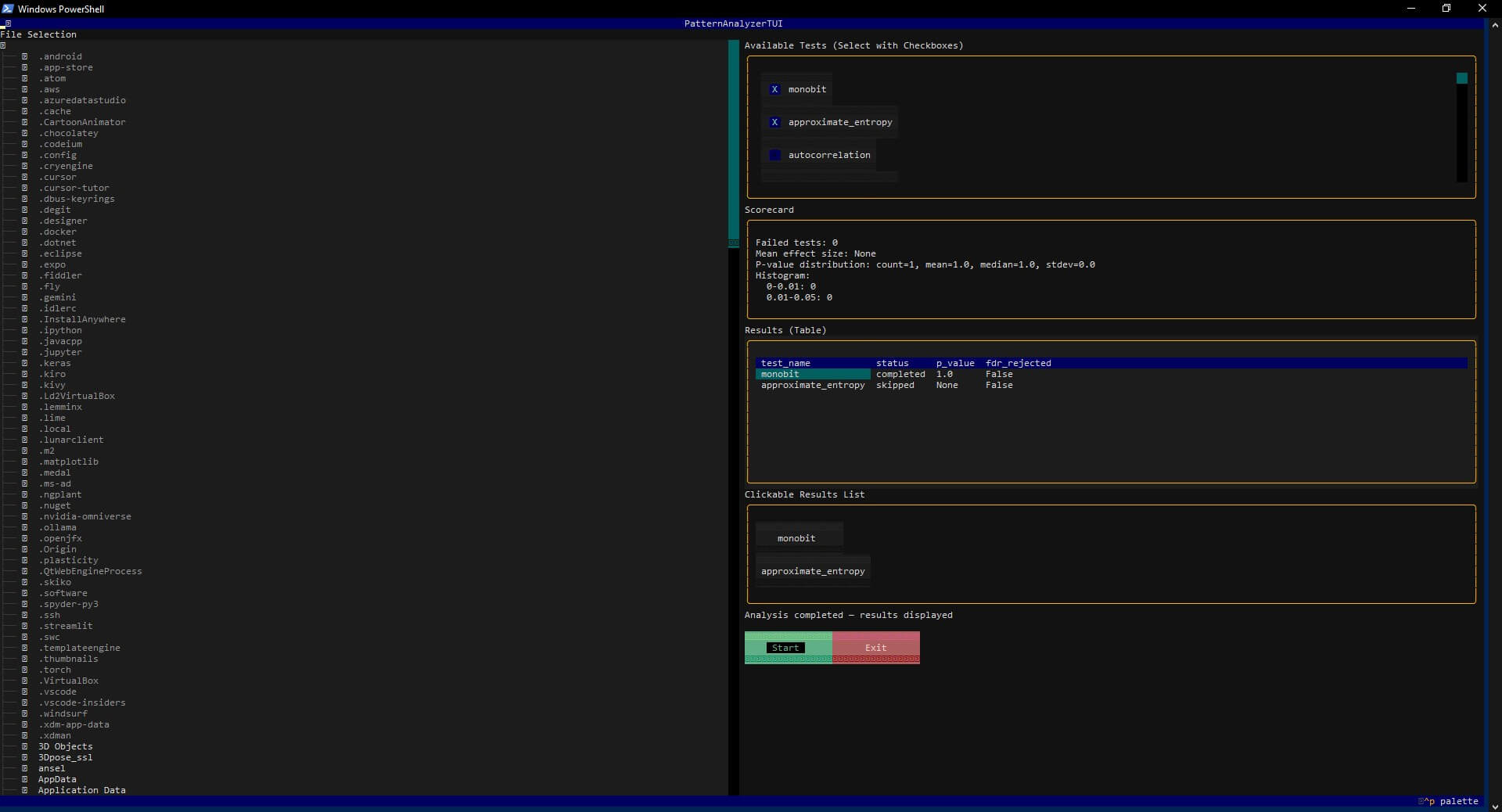
Programmatically run an analysis pipeline.
from patternanalyzer.engine import Engine

# Initialize the analysis engine
engine = Engine()

# Load data from a file
with open("test.bin", "rb") as f:
    data_bytes = f.read()

# Define an analysis configuration
# This example applies a simple XOR transform before running the monobit test
config = {
    "transforms": [{"name": "xor_const", "params": {"xor_value": 127}}],
    "tests": [{"name": "monobit", "params": {}}],
    "fdr_q": 0.05 # Set the False Discovery Rate significance level
}

# Run the analysis
output = engine.analyze(data_bytes, config)

# Print the results
import json
print(json.dumps(output, indent=2))pattern-analyzer/
├── patternanalyzer/ # Main source code for the framework
│ ├── plugins/ # Built-in analysis and transform plugins
│ ├── __init__.py
│ ├── engine.py # The core analysis engine
│ ├── plugin_api.py # Base classes for plugins (Test, Transform, Visual)
│ ├── cli.py # Click-based Command Line Interface
│ ├── api.py # FastAPI-based REST API
│ ├── tui.py # Textual-based Terminal User Interface
│ └── ...
├── app.py # Streamlit Web User Interface
├── docs/ # Documentation files for MkDocs
├── tests/ # Pytest unit and integration tests
├── pyproject.toml # Project metadata and dependencies
└── README.md
Contributions are welcome! Please feel free to open an issue or submit a pull request.
- Fork the repository.
- Create a new feature branch (
git checkout -b feature/my-new-feature). - Implement your changes and add tests.
- Ensure all tests pass (
pytest). - Submit a pull request.
This project is licensed under the MIT License. See the LICENSE file for details.